Showing posts with label Design Tools. Show all posts
Showing posts with label Design Tools. Show all posts
Graphic Design Mastery- AI, Photoshop, Illustrator, Indesign
Saturday, November 15, 2025
Graphic Design for beginners including Graphic Design Theories, Photoshop, Illustrator, Indesign, AI & Creative Thinking
Preview this Course

Description
Graphic Design & Advertising Masterclass:
Do you want to learn graphic design & advertising from scratch? well, I’ve tried to squeeze my academic studying in advertising in the faculty of applied arts & experience in the design field for more than 15 years in one single graphic design course that would help an absolute beginner or even an advanced graphic designer to become a professional graphic designer.
This is a very Dynamic MasterClass as A whole New section is added to the course teaching how to use AI tools like Midjourney, Adobe Firefly, Chat GPT, and Google Bard in Graphic design to create intricate designs in a few minutes and to stay on top of your game as a designer so you can integrate your exceptional Human Intelligence with Artificial Intelligence to create mind-blowing visuals!
What will you learn in this Graphic Design MasterClass:
1-Graphic Design Theories
So, Starting with graphic design theories including typography, color theory, graphic design compositions & layout theories to know the science behind achieving great designs. Plus bonus videos where I will be giving you tours in New York design museums like the Museum of Illusions in New York for example.
(Adobe Graphic Design Applications: Photoshop, Illustrator, Indesign, Creative Cloud, PDF)
2-Photoshop Creative Thinking & Advertising
We will learn Photoshop while we are covering different design niches & categories in the course to make sure you can engage in any graphic design task as a professional graphic designer, so in photoshop we are covering real-world projects & advertising campaigns for big brands & how to do creative thinking & professional graphic visuals, so, for example, we will design for Mercedes Benz, Vodafone, Boeing, and more… and even we are covering social media graphic design campaigns which are crucial nowadays,
3- AI (Artificial Intelligence) Tools in Graphic Design
We will learn how to use great & powerful AI generative tools like (Midjourney, Adobe Firefly, Chat GPT, Google Bard & More..) to work as a designer for us or as an assistant designer or for inspiration to come up with great designs that will revolutionize the design industry as we will focus on how to use them mainly for design purposes & we will dive deep into the world of text prompt engineering to take control of the generated Art & designs so we can achieve what we imagine in few clicks & also this will not only save you tons of time but also it will shorten your learning curve in the graphic design field as these tools can achieve complex visuals in a flash instead of watching and learning tutorials about specific techniques for certain effects, however still knowing the designs tools like photoshop, Illustrator & Indesign thoroughly will give a great advantage as a designer especially that AI can't really do everything as some people would imagine.
3-Illustrator Creative Thinking & Branding
we will learn in Illustrator how to design a corporate identity or a full branding from scratch including how to build professional logos & various brand publications & graphic visuals.
4-How to Present your designs & your branding work in the best way
Also, we will learn how to present our design work in a stunning way as well using both Photoshop & Illustrator & amazing resources for the best graphic design mock-ups & even how to save time designing them.
5-Indesign Creative Thinking: Editorial designs & Graphic designer Portfolio design
then we will learn Adobe InDesign from scratch including of course different Indesign tools, Indesign panels, printing technicals, character & paragraph styles in Indesign, and Indesign’s Master pages to achieve your graphic designs in a fast & professional way through practical projects including a bifold brochure then moving to another Indesign project: full 16 pages of different creative layouts of editorial designs (also we learn more in this project about different design theories especially graphic design grids & how to apply different graphic design grids in different layouts) which will be your own stunning design portfolio by the way & you will get a portfolio template to customize it according to your own taste & style. so by the end of this course, you will have learned graphic design theories, graphic design tools (Photoshop, Illustrator, Indesign) & creative design & advertising thinking plus a full portfolio filled with your own design samples that you’ve been building through the entire graphic design course.
6-Photoshop & Illustrator basics & essentials training, Exercises & graphic design files & Assets:
If you know nothing about graphic design applications (Photoshop, Illustrator, Indesign) don’t worry cuz this course will teach you the essentials of using Photoshop, Illustrator & InDesign along with tons of great design files, assets & exercises to sharpen your graphic design skills.
7-Graphic design applications Updates & New graphic design tutorials:
New graphic design application updates are constantly being added to the course along with more graphic design & advertising content.
8-Graphic design facebook group:
Also, you can join our facebook group to get inspired & share your graphic designs & Artwork to get feedback from like-minded designers from all over the world through this creative journey.
Conclusion:
By the end of this graphic design course, you will have learned graphic design theories (color Theories & color Wheel, Graphic design compositions & layout, Layout Grid Systems, Visual inspiration from New York famous design museums), Graphic design tools (Photoshop, Illustrator, Indesign) & creative thinking plus a full portfolio filled with your design Artwork samples that you’ve been building through the entire course.
The Instructor is What Makes the Course so Special, Right?
Khalil Ibrahim is a Chief design officer who studied Advertising & graphic design in the faculty of Applied Arts & worked in many international advertising agencies with experience of over 15 years in the design field and using Adobe applications. Besides traveling around the world learning about different Design Schools, Trends & Art Directions. He really cared to make sure you understand the graphic design tools, technicals, and concepts & to really learn it in a creative way to apply it like a Creative professional.
Enroll Now and let's master the graphic design together!
Who this course is for:
- Who want to learn graphic design from scratch
- who want to change his career path & start a graphic designer career
- who want to do some freelance design work next to his business
- who to start a design studio or do online graphic design work
- A graphic designer who wants to enhance his skills & knowledge to become a professional designer
- someone interested in graphic design & art and want to learn design tools
- who want to express his artistic talent but doesn't know the tools or the science behind it
Mastering Miro: Visual Collaboration Made Easy
Saturday, November 8, 2025
Plan, brainstorm, and collaborate visually using Miro for teams, projects, and creativity.
Preview this Course

Description
In today’s fast-paced world, visual collaboration is the key to turning ideas into action — and Miro makes it easier than ever. This course will guide you step-by-step through everything you need to know to use Miro confidently, whether you’re a student, designer, project manager, or team leader.
You’ll learn how to create engaging online whiteboards, build visual workflows, organize brainstorming sessions, and collaborate in real-time with your team or clients. Miro’s simple yet powerful tools allow you to map out strategies, plan projects, create mind maps, and share your ideas visually.
Throughout this course, you’ll explore Miro’s most essential features — from templates and sticky notes to advanced collaboration tools and integrations with popular platforms like Slack, Microsoft Teams, and Google Workspace. You’ll also gain insights into using Miro for remote meetings, agile projects, and team retrospectives.
By the end, you’ll have the confidence to use Miro to visualize complex ideas, manage team collaboration efficiently, and present your projects in a clear, creative, and interactive way. No prior experience is required — just your imagination and willingness to learn.
This course is designed to help you unlock your creativity and work smarter through the power of visual collaboration. Let's join us now.
Who this course is for:
- Beginners who want to learn Miro from scratch
- Project managers and team leaders
- Designers and creative professionals
- Students and educators
- Remote workers and online teams
Advanced Revit BIM: LOD 400 Concrete Structure Modeling
Wednesday, September 17, 2025
Learn step-by-step foundation, beams, columns, reinforcement, formwork & quantity takeoffs in Revit

Preview this Course
Description
Note: This course is full of real-world examples of modeling a reinforced concrete structure in Revit (LOD 400) with full construction details and execution-ready deliverables.
Have you ever struggled with modeling highly detailed concrete structures in Revit?
Do you want to create BIM parametric families for structural components that are reusable across multiple projects?
Would you like to master LOD 400 BIM modeling, including reinforcement, formwork, and detailed construction sequencing?
This course is designed to take you step by step through the entire process of modeling a 4-story residential building’s concrete structure, from site preparation and excavation to foundations, columns, beams, slabs, stairs, and elevator pits. Every detail, including reinforcement placement, spacers, formwork, shoring systems, and bar bending schedules, is covered to ensure your BIM model reflects real-world construction processes.
Course Overview:
Site preparation, foundation modeling, and excavation workflows, including advanced phasing techniques and preparation for LOD 400 detailing.
Column and beam modeling, reinforcement detailing, and creating parametric formwork families for reusable structural components.
Slab, joist, and stair modeling with detailed protective concrete covers and beam reinforcement.
Advanced modeling of concrete stairs, elevator shafts, and shoring systems, including detailed formwork and jack supports.
Generating construction documentation, quantity takeoffs, and bar bending schedules directly from the BIM model, and graphical project management techniques.
What You Will Learn:
Step-by-step LOD 400 concrete structure modeling in Revit
Creating parametric Revit families for spacers, formwork, and shoring systems
How to simulate real construction processes with accurate phasing and sequencing
Advanced reinforcement detailing for foundations, columns, beams, slabs, and stairs
Generating shop drawings, bar bending schedules, and quantity takeoffs directly from your BIM model
Building a reusable library of structural BIM families for future projects
Mastering professional BIM workflows to improve project efficiency and documentation quality
By the end of this course, you’ll have the skills to create highly detailed, execution-ready concrete BIM models in Revit, ready for any construction project, saving time and ensuring accuracy.
Plus: If you enroll in this course, you can ask me questions anytime, and I’ll guide you step by step to ensure your success!
Who this course is for:
- Architects who want to master BIM-based concrete structure modeling in Revit
- Architecture students looking to improve their Revit and construction detailing skills
- Structural engineers who need to create high-detail (LOD 400) BIM models
- Civil engineers interested in reinforcement detailing, formwork, and quantity takeoff in Revit
- Construction professionals and project managers who want to simulate real construction workflows in BIM
- Interior designers and advanced Revit users aiming to expand their knowledge into structural BIM modeling
- BIM specialists who want to generate professional shop drawings, schedules, and parametric families
PowerPoint Design Bootcamp: Build 15 Stunning Presentations
Tuesday, September 16, 2025
Design Stunning PowerPoint Presentations with Real Projects – No Experience Needed

Preview this Course
Description
Welcome to the PowerPoint Design Bootcamp — your gateway to creating visually stunning presentations with zero prior experience. This course is designed for beginners who want to master the art of slide design through hands-on learning. You’ll complete 15 real-world projects that teach you how to build clean, professional, and engaging presentations using nothing but Microsoft PowerPoint.
Each project focuses on a specific skill: layout, visual hierarchy, color usage, typography, icons, transitions, and animation. You’ll learn how to turn ideas into impactful visuals that communicate clearly and leave a lasting impression. Whether you're preparing a business pitch, a school assignment, or content for social media, this course gives you the tools to design with confidence.
No graphic design background? No problem. All you need is PowerPoint and a willingness to learn. The lessons are clear, practical, and easy to follow — even if you’ve never opened PowerPoint before.
By the end of the course, you’ll have a portfolio of polished presentations and the ability to design slides that stand out in any setting. You’ll also gain a solid foundation in visual storytelling and presentation strategy.
Join thousands of learners who are transforming their ideas into powerful presentations. Start today and unlock your creative potential — one slide at a time.
This course includes the use of AI tools (such as text-to-speech and/or design assistance) to enhance learning quality and delivery.
Who this course is for:
- This course is for anyone who wants to design powerful, professional PowerPoint presentations—no experience needed.
AI Visual Design with Adobe Firefly
Wednesday, August 13, 2025
Master AI-powered design with Adobe Firefly: create images, videos, sound, text effects & vectors

Preview this Course
Description
Step into the future of design with Adobe Firefly — no experience needed, just imagination.
Whether you're a content creator, social media manager, small business owner, or just AI-curious, this course is your complete, hands-on guide to one of the most powerful creative AI tools on the market.
Why Firefly?
Adobe Firefly brings the magic of artificial intelligence into an intuitive, web-based environment where you can generate stunning visuals, videos, text effects, sounds, and vector graphics — all from a simple prompt. No complicated software. No design background required. If you can describe it, you can design it.
What you’ll learn inside the course:
This course walks you through the entire Firefly platform step-by-step, showing you not just what each tool does, but how to use it creatively and strategically. You’ll explore:
AI image generation, including scene building, mood matching, and prompt engineering
Typography tricks and text effects that actually look like a designer made them
Vector creation from text prompts — perfect for logos, icons, and scalable assets
Firefly’s video features: from turning images into clips, to creating AI avatars
Audio generation tools that bring your content to life: SFX, translations, and more
Real projects: Instagram graphics, Etsy product mockups, personal branding posters
Prompt remixing and best practices for evolving ideas across different outputs
Exporting, upscaling, and integrating with tools like Illustrator, Canva, or Figma
How to turn your skills into freelance gigs, social content, or even passive income
Who is this course for?
This course is designed for creators of all levels. If you're a:
Content creator or influencer looking for unique, on-brand visuals
Freelancer or marketer who needs to produce assets quickly
Beginner designer curious about AI tools that speed up workflows
Small business owner wanting to create your own social graphics or printables
Or just someone who loves exploring creative tools — this course is for you.
What makes this course different?
We’re not just showing you buttons — we’re teaching creative thinking. Every lecture includes real examples, practical tips, and walkthroughs that empower you to create your own visuals, not just copy along.
You’ll finish this course with a portfolio of ready-to-use assets, a deep understanding of how to prompt AI like a pro, and the confidence to use Firefly in your business, personal brand, or creative process.
No design background? No problem. No Adobe subscription? You can follow with the free plan.
Only have 10 minutes a day? The course is split into bite-sized lessons you can watch anytime.
By the end of this course, you’ll know how to create scroll-stopping designs in minutes — and have fun doing it.
So let’s get started.
Enroll now and turn your ideas into visuals with Adobe Firefly.
Who this course is for:
- Content creators, social media managers, and freelancers who want to create standout visuals without heavy design tools
- Small business owners and Etsy sellers looking to boost their branding with unique AI-generated content
- Design beginners or curious creatives who want to explore generative AI without diving into complex software
- Marketers and brand strategists who need eye-catching assets fast — posters, mockups, headlines, and more
- Students and educators interested in the future of AI and design workflows
- Anyone who wants to create — with zero design background and a lot of imagination
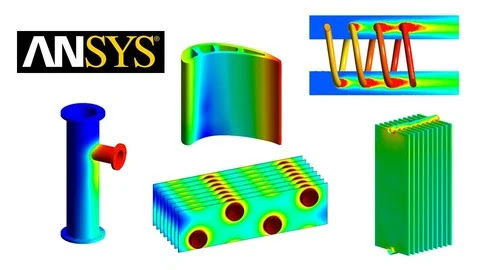
Mastering Thermal CFD simulations with Ansys CFX
Thursday, July 10, 2025
Analyze heat transfer in solids, fluids, heat exchangers, and cooling systems using thermal CFD and CHT in Ansys CFX
Preview this Course
Description
Mastering Heat Transfer: Theory to Practical Simulation Analysis
This course provides a complete learning path from the fundamentals of heat transfer to advanced simulation-based analysis. Beginning with core concepts like conduction and convection, you'll progressively explore conjugate heat transfer in a variety of real-world applications.
Ideal for engineering students, CFD learners, and professionals working in thermal system design and analysis, this course bridges theory and simulation to help you gain hands-on experience.
Each section integrates clear theoretical explanations with practical simulation results and comparative analysis. You’ll explore heat transfer behavior in diverse components—heat exchangers, power transformer radiators, electronic cooling solutions, heating coils, mixing pipes, turbine blades, and more—enabling a deep understanding of thermal performance across industries.
Topics Covered:
Fundamentals of Heat Transfer
Heat Transfer in Flat Plates
Heat Transfer in Internal Pipe Flow
Combined Internal and External Flow in Pipes
Heat Transfer in Shell-and-Tube Heat Exchangers
Thermal Analysis of Heating Coils
Cooling Analysis in Electronic Heat Sinks
Thermal Mixing in Pipe Junctions
Heat Transfer in Power Transformer Radiators
Fin-and-Tube Heat Exchanger Simulation
Turbine Blade Cooling Techniques
Transient (Time-Dependent) Heat Transfer Analysis
Parametric Study for Performance Comparison
Optimization of Thermal Designs
Coupled Thermal-Fluid-Structural Analysis in Wing Structures
This course bridges theory and application—ideal for anyone aiming to master thermal analysis using engineering simulations. Whether you're a student, researcher, or industry professional, this course equips you with the tools to analyze, interpret, and optimize thermal systems effectively. Simulations are used to reinforce theory, ensuring a hands-on and intuitive understanding of heat transfer behavior.
Who this course is for:
- Anyone preparing for roles in mechanical, aerospace, automotive, or energy industries that require a strong foundation in thermal analysis
- Engineering students and graduates seeking to strengthen their knowledge of heat transfer and simulation analysis
- Researchers and professionals involved in thermal system design and heat transfer analysis
From Prompt to Photorealism: Midjourney Image Creation Guide
Tuesday, June 3, 2025
Turn ideas into realistic visuals—explore Midjourney’s tools for high-quality AI image generation.

Preview this Course
Description
Want to create stunning, photorealistic visuals — without learning complicated design software?
This hands-on course shows you how to use Midjourney, a powerful AI tool that transforms your words into high-quality, lifelike images. Whether you’re a total beginner or just curious about generative AI, you’ll learn how to go from simple prompts to scroll-stopping visuals — fast.
Perfect for creators, marketers, educators, and entrepreneurs, this course guides you through every step of the Midjourney process — from writing effective prompts to generating images based on your ideas or even your own reference photos. You’ll also learn how to create visuals from scratch and explore key ethical and copyright considerations along the way.
What You’ll Learn:
What Midjourney is and how to access it
How to structure prompts for photorealistic results
Techniques for image-to-image and multi-image generation
How to create visuals entirely from text descriptions
Using Midjourney to enhance branding, storytelling, or content creation
Understanding copyright and the responsible use of AI-generated art
Why Take This Course?
You don’t need any design background to create professional, photorealistic images. With Midjourney and a solid prompt strategy, anyone can produce powerful visual content in minutes. This course gives you the skills, tools, and confidence to start creating right away — without the overwhelm.
By the End of the Course, You’ll Be Able To:
Use Midjourney confidently to generate high-quality images
Write prompts that deliver consistent, photorealistic results
Create images based on reference photos or ideas
Apply AI visuals in your work — for marketing, storytelling, or creative fun
Understand the ethical implications of AI-generated content
How long is the course?
Complete it in 1 hour — concise, actionable, and designed for real results.
Will I receive a certificate?
Yes! You’ll earn a Udemy certificate of completion to validate your new skills.
Is there any risk?
None! This course comes with a 30-day money-back guarantee, so you can explore with confidence.
Start turning ideas into stunning visuals — with Midjourney as your creative partner.
Enroll now and bring your imagination to life!
Who this course is for:
- Beginners curious about AI-powered image generation
- Content creators, marketers, and designers looking to enhance their visuals
- Entrepreneurs and freelancers who want to create eye-catching content fast
- Social media managers who need scroll-stopping images
- Anyone interested in learning how to use Midjourney for photorealistic results
Canva AI Specialization: Design Apps, Websites & Visuals
Monday, May 26, 2025
Design Smarter with Canva Code, Magic Studio & Sheets — Create Stunning Visuals, Flipbook, Apps with Canva AI in Minutes

Preview this Course
Description
Canva AI Specialization: Design Apps, Websites & Visuals
Master Canva's most powerful AI tools—Canva Code, Magic Studio, and Canva Sheets—to create stunning designs, apps, websites, and content at scale. Perfect for designers, educators, marketers, and creators.
What is This Course All About?
This course is your complete guide to mastering Canva AI's latest tools—including Canva Sheets, Magic Studio, and Canva Code. You'll learn how to design stunning visuals, build apps and websites, create bulk content at scale, visualize and analyze data, and supercharge your productivity with AI features like Magic Write, Translate, and Background Remover. Whether you're a designer, marketer, educator, or entrepreneur, this course empowers you to create smarter, faster, and more efficiently with Canva’s AI-driven ecosystem.
The Power of Canva AI
Learn how to create with AI using Design for Me, Create an Image, Draft a Doc and revolutionary Canva Code feature. Write blogs, emails, summaries, and creative text with ease. Generate professional images instantly and automate design decisions using “Design for Me.” Bring your ideas to life without starting from scratch!
Automate with Canva Code
Dive into Canva Code—a game-changer for building web apps, quiz apps, flipbooks, study tools, and more—right inside Canva. No coding background needed! You'll be able to bring functional digital projects to life, from concept to completion, with a Single prompt
Visualize with Canva Sheets
Master Canva Sheets, a powerful tool for managing and visualizing data. Use Magic Charts to create stunning visuals, Magic Formula to auto-calculate, and Magic Translate to convert languages effortlessly. You’ll also analyze external data and build calendars, plans, and more—right inside your designs.
Create at Scale with Magic Studio
Scale your content creation like never before with Magic Studio’s suite of tools:
Bulk Create to generate dozens of designs in one go
Magic Resize to instantly reformat visuals for any platform
BG Remover, Magic Grab, Magic Expand, and Magic Eraser for image editing
Magic Write to quickly generate copy for social media, and campaigns
What You Will Learn:
This course is a deep dive into Canva’s revolutionary AI-powered features. You’ll be equipped to design smarter, build faster, and create content at scale—without writing a single line of code!
Create a Flipbook
Build a Quiz App
Create Study Guides for Students
Build Web Apps
Design Stunning Websites
Visualize Data with Magic Charts
Analyze External Data Inside Canva
Use Canva AI with Sheets
Translate Languages with Magic Translate
Use Magic Formula in Canva Sheets
Create a Social Media Calendar
Plan a Digital Marketing Calendar
Create Stunning Images with Canva AI
Design Presentations
Design Social Media Images
Design Marketing Materials, Cards, and Invitations
Write Blogs, Summarize Long Content, and Compose Emails
Harness the Power of Magic Studio
Use Background Remover and Background Generator
Use Magic Grab and Grab Text
Use Magic Expand
Use Magic Edit and Eraser
Use Magic Write to Create Content Easily
Bulk Background Removal at Scale
Create Bulk Content with Bulk Create
Use Magic Resize to Design Across Formats
By the End of This Course, You'll Be Able To:
Build apps, guides, and tools with Canva Code
Write and design smarter with AI-powered assistance
Visualize and manage data directly within your designs
Create and scale content for blogs, marketing, education, and social media
Use Canva like a pro—from single visuals to complex multi-page campaigns
Who this course is for:
- This course is perfect for beginners, content creators, marketers, designers, educators, and entrepreneurs who want to harness the power of Canva AI, Canva Sheets, and Magic Studio to create professional visuals, apps, and content faster than ever before. Whether you’re a freelancer looking to scale your design work, a business owner wanting to boost your brand, or a student exploring the future of AI tools, this course will give you the skills and confidence to create stunning, and AI-enhanced content with ease. No prior design or coding experience is needed—just a passion for creativity and a curiosity for what AI can do!
Color Theory for Art & Design: Learn to use Color like a Pro
Wednesday, May 7, 2025
Everything about using Color in Art and Design: Color Theory Basics, Color Palettes, Color Schemes, Color Psychology...

Preview this Course
Description
Welcome to The Color Class!
From painting to fashion, graphic design, logo design, marketing, photography, any field of digital art and traditional art:
Colour is a major factor and plays a huge role in how we percieve things. Both in real life and in any forms of visual presentation.
Therefore, learning about color theory and being able to handle color like a pro is essential, if want to become a creator. No matter if you're a beginner artist who's just starting out, or an experienced web designer.
Once you know what colors can do and learn how to combine them, you have an incredible tool at your hands that allows you to influence the mood, emotions, interest and attention of viewers of your work.
The color wheel, color psychology, color schemes, color harmony and color palettes are just some aspects of the magical meta-skill that we call "color usage".
I'm "Duplo", an experienced designer and digital artist, and I put a lot of attention to getting my colors right. Using color is one of my specialties and I've invested a lot of time into researching and optimizing my use of color. Color has been the thing that has carried my work the most, and I absolutely love using it.
I put this course together because I've noticed, that there aren't any full tutorials on how to generally use color. The ones that are out there are either too broad and theoretical ("Color theory explained in 10 min"), or too specific ("How to mix water colors", "How to use color schemes for logos"...).
This course gives you a practical overview for color theory and how you can apply it to any field of art and design that interests you. With tons of examples and clear explanations!
From color basics we will move on to a deep dive on each of the main colors so that you really understand them. And then we will explore how to combine colors, how to make them look good together and how to choose them for your work.
You will learn:
How to use color psychology to achieve stunning effects
How to create color harmony
How to utilize color schemes
How to make your own color palettes for different situations
How to avoid the most common color errors
Or shortly: How to become a master of color!
Because at the core, it's the same theory that applies to any fields of art and design: Once you know what color does and how you can use it to your advantage, you win!
And with this course I want to guide you there.
Style:
- calm & precise
- occasional dry jokes
- many examples and visuals
Watch the video lessons, take some notes if you like and participate in the class project, and you will soon not have to worry about colors anymore, but use them with competence and confidence!
Welcome!
Who this course is for:
- Beginner artists and designers of all kind
- Experienced artists and designers of all kind
- People who work in marketing
- People who are interested in color and want to know how it works
- Interior designers
Change the Color of Any Object in Photoshop
Monday, September 30, 2024
Learn How to Change the Color of Anything in Photoshop by Mastering the Skills and Principles Related to Replacing Color
.jpg "Change the Color of Any Object in Photoshop")
Preview this Course
Description
Do you want to learn how to change the color of any object in Photoshop?
Then you've come to the right place!
In this course, we will be mastering the art of changing the color of anything in Photoshop by learning about the following principles and skills:
Understanding Bit-Depth And Its Relationship With Color
Understanding Color Theory
Mastering the Hue/Saturation Adjustment Function
Mastering Selections
Understanding Layer Masks
Understanding Blending Modes
Mastering the Replace Color Tool
Mastering the Selective Color Adjustment Function
Mastering Camera Raw for Changing Color in RAW images
Using the Generative AI Tools in Photoshop to Change Color
Understanding Color Models Like RGB and CMYK
Understanding the Concept of Color Space in Photoshop
Each of these sections includes multiple videos and multiple example images that you will be getting your hands on, so you can work along with me.
The best part about this course is that it's such a great mix of technicality and creativity, that by the time you finish this course, not only will you master the art of changing the color of any object in Photoshop, you will also understand the science behind Photoshop itself and how it really works when it comes to color.
Also, another important point to note is that most of the tools shown in this course are available in any version of Photoshop. So you don't need to have the latest one. Any older version will be fine too.
So if you like the sound of that, sign up right now and we will get started straight away!
Who this course is for:
This course is for people who want to learn how to change the color of any object in Photoshop.
Create and Publish Bestselling Children's Books using AI!
Monday, August 5, 2024

Become a Bestselling Author via Consistent AI Character Design, Amazon KDP Publishing, and Effective Marketing using AI
Preview this Course
Unlock the Magic of Children's Books with AI: Create and Publish Bestsellers
Are you passionate about storytelling and eager to create captivating children’s books? Discover how to turn your creative ideas into bestselling books with our innovative course: "Create and Publish Bestselling Children's Books Using AI!" This course is designed to empower you with the skills and tools to write, design, and publish enchanting children’s books with the help of cutting-edge artificial intelligence technology.
Why Choose This Course?
Our course is tailored to guide you through every step of the book creation process, from conceptualizing engaging stories to designing eye-catching illustrations and managing the publishing process. AI tools can significantly enhance your creativity and efficiency, making it easier to bring your imaginative tales to life.
Course Highlights:
Story Creation: Learn how to craft compelling stories that captivate young readers, using AI to generate plot ideas, character names, and dialogue.
Illustration Design: Discover how AI can assist in creating vibrant, age-appropriate illustrations that complement your narrative and engage your audience.
Publishing Strategies: Gain insights into the publishing process, including formatting, marketing, and distribution, with tips on leveraging AI for optimizing your book’s reach and sales.
Expert Guidance: Benefit from the expertise of industry professionals who will provide practical advice and support throughout your journey.
Why AI for Children's Books?
Artificial intelligence can streamline and enhance various aspects of book creation, from generating creative ideas to automating repetitive tasks. By integrating AI into your workflow, you can focus on what matters most—creating magical stories that resonate with children and their families.
Adobe After Effects Crash Course for Creatives
Thursday, June 27, 2024

Adobe After Effects Crash Course for Creatives, Create Stunning Social Media Video and Motion Graphics with ZERO Experience: Learn After Effects, Theory, Projects
Description
“Video becomes more popular each day in the social media space. Businesses use videos to get more engagement and eyes on their services and products."
This course is designed to give you the path of least resistance to making scroll stopping, eye catching videos in after effects, FAST.
Join both Ryan Collins (a social media video expert with hundreds of video ads under his belt) and I, Lindsay Marsh, who has the produced hundreds of hours of video content as we study what makes compelling motion video clips and graphics, learn the basics of Adobe After Effects and learn how to complete stunning motion video projects.
I will walk you through motion theory including frame rates, sizes and resolutions, and provide helpful downloadable resources along the way
Ryan Collins will provide you the precise tools and knowledge you need to skip all the headaches and get straight to making high quality videos, in his entertaining yet succinct and calculated manner. He will also walk you through several amazing projects such as Instagram Stories, Typography, video ad creation and tons more!
And yes – you can learn After Effects and start creating compelling motion videos in no time.
All you need is After Effects, and a will to succeed.
Who this course is for:
- Any creative (Graphic Designer, Web Designer, aspiring motion video editors) who wants to learn the basics of After Effects so they can add motion video editing and animation to their skillsets
- Anyone interested in learning how to create compelling social media or motion video ads, logo animations and other short form motion video content
- Beginner to Intermediate After Effects users looking to expand their knowledge of after effects and learn how to use it in new ways.
AutoCAD Pro: Essential Skills and Real-World Projects
Tuesday, June 18, 2024

AutoCAD Pro: Essential Skills and Real-World Projects, Learn to design, draft, and execute real-world projects with professional AutoCAD training
Description
Course Introduction
Welcome to the Comprehensive AutoCAD Training course! This course is meticulously designed to take you from a novice to a proficient user of AutoCAD. Through a blend of theoretical knowledge and practical case studies, you'll gain the skills necessary to tackle real-world design projects. Whether you are a student, a professional seeking to upgrade your skills, or a hobbyist interested in design, this course covers all aspects of AutoCAD, from basic drafting to complex 3D modeling and project-based applications.
Section 1: AutoCAD Case Study - Drawing Title Housing
In this section, you'll be introduced to the foundational concepts of AutoCAD through a case study focused on housing design. Starting with an introduction to the project, you'll learn the essentials of drafting, including setting up your layout and title block, and understanding layers and dimensions. Key topics include adding part lists, revision tables, and necessary notes, all culminating in a practice drawing to reinforce your skills.
Section 2: Project on AutoCAD - Electrical Power Demand Calculation
This section dives into the specifics of electrical power demand calculation for office spaces. You'll start with the basics of creating an electrical lighting layout and move on to detailed load calculation sheets. By the end of this section, you'll have a comprehensive understanding of how to calculate total power demand for an office area, essential for planning and designing efficient electrical systems.
Section 3: AutoCAD Project - Fire Alarm System Layout
Learn to design a complete fire alarm system layout in this section. From installing heat detectors and speakers to connecting various components and creating schematic diagrams, you'll cover all aspects necessary to create a functional fire alarm system. This hands-on project will equip you with the skills to design and implement safety systems in any building project.
Section 4: AutoCAD Case Study
A general case study that introduces various aspects of AutoCAD. You'll start with workspace editing and basic shapes, progressing to detailed plans including windows, doors, and furniture placement. This section aims to build your confidence in creating detailed, precise drawings, preparing you for more complex tasks.
Section 5: SketchUp Project - Create a 3D AutoCAD Plan from a Given 2D House
Transition from 2D to 3D with this section on using SketchUp alongside AutoCAD. You'll learn to create 3D models from 2D plans, including doors, windows, and components. This section emphasizes the importance of texture and editing, enhancing your ability to visualize and present designs in three dimensions.
Section 6: AutoCAD Project Power Distribution Layout for Commercial Kitchen
Focus on the power distribution layout for a commercial kitchen. Topics include wattage and tag numbers, switch locations, and power supply points. You'll learn to create detailed power distribution schematics, essential for ensuring the efficient and safe operation of commercial kitchens.
Section 7: Introduction to AutoCAD
An introductory section that covers the basics of AutoCAD, including the toolbars, commands, and basic shapes. Ideal for beginners, this section lays the groundwork for more advanced topics, ensuring a solid foundation in AutoCAD operations.
Section 8: AutoCAD - 2D Essentials Course
Deepen your knowledge of 2D drafting with this comprehensive essentials course. Covering installation, system requirements, user interface, and a variety of commands, this section equips you with the skills to create detailed 2D drawings efficiently.
Section 9: AutoCAD - 2D Advanced Course
Advance your 2D drafting skills with this section, focusing on more complex tasks such as working with XREF files, annotative objects, and constraints. This section prepares you for high-level drafting tasks and ensures you can handle any 2D design challenge.
Section 10: AutoCAD - 3D Modeling
Explore the world of 3D modeling in AutoCAD. Starting with the basics of working planes and UCS, you'll move on to creating and editing 3D objects. This section is crucial for those looking to bring their designs to life with three-dimensional visualizations.
Concluding Remarks
By the end of this comprehensive AutoCAD training course, you will have mastered both the basics and advanced features of AutoCAD, equipping you with the skills to tackle a variety of design and drafting projects. Whether you are aiming to enhance your professional capabilities or explore a new hobby, this course offers the knowledge and practical experience needed to excel. Thank you for joining us on this learning journey, and we wish you success in all your future AutoCAD endeavors!
Who this course is for:
- Aspiring Architects and Engineers: Individuals aiming to enter the fields of architecture or engineering will gain foundational skills essential for creating detailed designs and plans.
- Current Design Professionals: Architects, interior designers, and engineers looking to enhance their CAD skills and stay current with the latest AutoCAD techniques and practices.
- Students and Educators: Those studying design, architecture, or engineering in academic settings, as well as educators seeking to integrate CAD into their curriculum.
- Hobbyists and DIY Enthusiasts: Anyone with a passion for design, drafting, or home improvement projects who wants to learn how to bring their ideas to life using professional CAD software.
- Industry Professionals Transitioning to CAD: Professionals in related fields who are transitioning to roles requiring CAD skills, such as construction managers, drafters, or technical illustrators.
- Freelancers and Entrepreneurs: Individuals offering design services or starting their own design-related businesses who need to produce high-quality, professional drawings and plans.
- AutoCAD Beginners: Anyone with little to no prior experience with AutoCAD who wants to build a strong foundation and progressively advance to more complex projects.
Canva Masterclass For Social Media And Content Creation
Saturday, June 1, 2024

Canva Masterclass For Social Media And Content Creation, Learn how to design incredible graphics, social media posts, and more in Canva. Create your brand and grow your business
Description
Are you a beginner? Is your content not getting the traction it needs to grow? Do you want to learn how to create beautiful graphics for your business or for marketing purposes? This course will help you get started with Canva and then provide you with a roadmap that will push you to grow into a confident content creator. You will be creating visuals & animated GIFs for social media, editing all sorts of videos for TikTok, Instagram, or YouTube, and making your own website along with designing convincing pitch deck presentations. Whether you're a beginner looking for some guidance on basic graphic creation, or an expert looking to pick up some new tricks - there is something in this course just for you! This course is packed full of exciting, valuable lessons that teach precisely how to create beautiful graphics that will help turn your online presence into something truly remarkable
What can you expect?
Canva is a Master Course, meaning it goes deep and approaches the learning experience in a very structured way. We start with the basics and build your brand identity before we start designing your projects. This is where you'll learn how to use Canva, but it's also about developing a strong communication strategy for your business or organization.
By the end of this course, you'll be able to make your own:
Brand Style Guide
Profile Picture for Social Media
Facebook Post
Facebook Cover
Facebook Ad
Instagram Post
Instagram Story
YouTube Thumbnail
YouTube Channel Art
Infographic
TikTok Video Or Instagram Reels
video tutorial for YouTube
Animated Social Media Post
Animated GIF
Pinterest Animated Video
Funny Memes
Professional Presentation
Your Canva Website
Who this course is for:
- This is a place for beginners. Everything you need to know about graphic design.
- Freelancers who want to take their design skills up a notch without needing to learn expensive software can now do so with Canva.
- Social media managers and visual content creators: A simple and easy way to create better graphics in minutes!
- If you ever need a beautiful web page but don't know how to design it yourself, then Canva is the site for you.
- Anyone who wants to learn how to design amazing graphics and videos for their social media platforms, their website or their business should sign up.
Graphic Design MasterClass- Photoshop, Illustrator, Indesign
Monday, November 14, 2022

Graphic Design MasterClass- Photoshop, Illustrator, Indesign - Graphic design for beginners including Graphic Design Theories, Photoshop, Illustrator, Indesign, CC & Creative Thinking
Created by Khalil Ibrahim
Graphic design & Advertising Masterclass:
Do you want to learn graphic design & advertising from scratch? well, I’ve tried to squeeze my academic studying of advertising in the faculty of applied arts & experience in the design field for more than 15 years in one single graphic design course that would help an absolute beginner or even an advanced graphic designer to become a professional graphic designer.
What you'll learn
- Graphic design Theories
- color theory
- Composition & layout rules
- Grid systems
- creative thinking
- How to use Photoshop in a creative way to create stunning Ads
- advertising rules in action while designing
- the science behind achieving great visuals
- photoshop tools panels & essentials
- about typography anatomy & how to use type & fonts properly
- How to use Illustrator in a creative way to create brand identity
- How to use illustrator to design Logos, business cards, letterheads, envelope..etc
- how to present your graphic design work in a great way to easily get your designs approved by clients
- saving & exporting different formats
- Illustrator tools panels & essentials
- How to use Indesign in a creative way to create amazing editorial design
- how to create brochures, catalogs & flyers
- how to create multipage editorial design up to 16 pages & more
- build your own portfolio through the entire course
- Get a portfolio template to customize it according to your own style
- about printing & screen designs technicals
- how to export your designs in different formats
- how to create printing PDF & Impositions for your editorial design
- you will get tons of design files & assets to assist you in your designs
- you will find many exercises to sharped your design skills
- you will learn to select & mask images with different techniques including tough areas like Hair, Smoke..etc.
- you will learn how to design precisely in Photoshop using design grids & guides.
- Work like a professional in Photoshop mastering all Non- destructive techniques.
- Create graphics from scratch.
- Use the Pen & drawing tools like a professional in Photoshop, Illustrator & Indesign
- Master the Different drawing & illustrations tools & techniques
- to speed up your workflow & speed up Illustrator performance as well
- Know the details of Glyphs, Stylistic Sets, Variable fonts
Adobe Photoshop Quick Start for Absolute Beginners
Saturday, August 28, 2021
Free Udemy Coupon

Adobe Photoshop Quick Start for Absolute Beginners - The basics of Photoshop for Absolute Beginners, Entrepreneurs and Busy People
- Hot & New
- Created by Rich Graysonn
- English [Auto]
What you'll learn
- Have a basic working knowledge of Photoshop
- Understand how Layers work and how to use them
- Perform basic tasks with image files Like opening resizing and saving
- Learn to work faster and smarter in Photoshop
- Learn to create artboards banners and social media templates
- Use layer masks and layer styles
- Learn how to use Neural filters and Image filters
- Use Photoshop Tools like Brushes and selection tools
Description
If you want to learn the basics of photoshop but do not have a great deal of time, this course is for you!
Adobe Photoshop used to be this really complex and even cryptic piece of software that only a few people knew how to really get in there and work. I have been using Photoshop off and on for about 20 years and not just for digital art. My name is rich Grayson. I am an instructor here on Udemy as well as a business owner. And when you are a business owner or an entrepreneur, or just a very busy person, you find yourself having to do things that you were not expecting.
Over the years, I have created banners, made book covers, and created social media banners. I have had to do image manipulation and compositing, all to keep my business running. Adobe Photoshop is very extensive, and if you are looking to become certified in Adobe, this course might not be for you. I made this course specifically because many of my students were asking me about things in Photoshop. So I decided to make an overall introduction to Photoshop for everybody. This is not a digital art course.
You will not be required to draw, but by the time you're done with this, you may actually want to go and become creative. I made this course because if you are like me, you don't want 2 waste anytime you want to get in, get things done, and move on with your life. This is my version of a mini-course. We're going to go over the basics, but not like you may have seen people go over the basics of Photoshop; these videos are made for you actually to accomplish tasks. This course is task-oriented; a busy person makes it for busy people who understand how daunting digital workspaces can be. I understand that maybe you've opened up Photoshop before, and you said to yourself it can't really be this hard. Maybe you tried to work it to varying degrees of success. Well, I'm going here to demystify Adobe Photoshop for you.
With all of the new AI that Adobe has created, many things that took several steps can now be done with the press of a button; I do not condone cheating. Still, in this course, we're going to do a little bit of cheating actually; we're going to do a whole lot of cheating. Still, we're going to get the same results as someone who did things the old way, and there's nothing wrong with that. Still, if you've always wanted to learn Photoshop no matter your reason, whether you're an entrepreneur, whether you are trying to do freelance whether you want to do web design or graphic design, then this course was made for you, and if you don't mind a teacher that uses a little bit of humor to teach and wants you to have fun but at the same time learn that this course is definitely for you. So come on in and join some of my 80,000 learners worldwide and learn Photoshop because it is advantageous and can help you out immensely.
Who this course is for:
- Complete Beginners
- Very Busy People
- Aspiring Creatives
- People wanting a career change
- People who need to learn Photoshop quickly
- Entrepreneurs and small business owners who want to save time and money
- Everyone with a willingness to learn
100% Off Udemy Coupon . Free Udemy Courses . Online Classes
Subscribe to:
Posts (Atom)